Thai App Center ขอแนะนำ Parental Control & Kids GPS: Kaspersky SafeKids
PARENTAL CONTROLS & GPS CHILD-LOCATOR
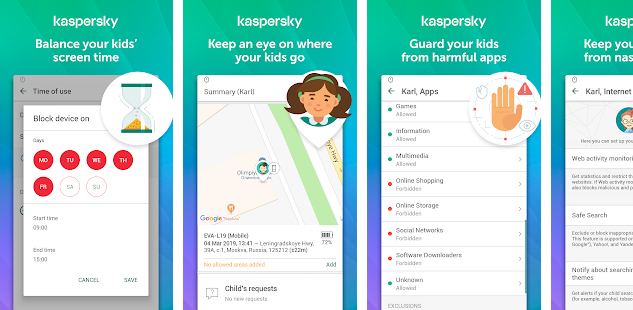
Kaspersky Safe Kids gives you more than standard parental controls to make parenting easier.
Besides allowing you to block nasty content, manage device and app use, and find out instantly about suspicious online behavior, it also lets you locate your kids on a map and set a safe area for them to stay in – you can even monitor the battery level on their devices so you don’t lose touch.
Our Free version lets you:
– Block harmful sites and content to ensure safe search
– Manage app use
– Set screen time limits
– Get advice from child psychologists
Our Premium version gives you everything in Free, plus it lets you:
– Locate your children on a map
– Define a safe area for them to stay in
– Find out when their devices are low on battery
– Manage their device use versus their schedule
– Track their public Facebook activity
– Get real-time notifications on what they’re up to
– View detailed reports on their online habits
Kaspersky Safe Kids is rated “Excellent” in an independent review by PC Mag, and certified as Approved Parental Control by AV-Test. This superior parental guidance app is also available for Mac, Windows and more.
Download it now & start protecting your kids online and beyond.
***
Getting started with Kaspersky Safe Kids is easy:
1. Install the app on your devices in Parents mode
2. Install the app on your kids’ devices in Kids mode and follow the quick setup instructions
3. Sign-in to your My Kaspersky account – ‘Kids’ tab – at my.kaspersky.com/mykids for initial setup and protection rules management. Please use one single My Kaspersky account for all your Kaspersky Safe Kids installations.
* We recommend that you turn on your Global Positioning System (GPS) to increase the accuracy of your child’s location. Please note, the GPS usage increases battery power consumption.
The app uses the Device Administrator permission.
The app uses Accessibility services.
Download Parental Control & Kids GPS: Kaspersky SafeKids
Android