Thai App Center ขอแนะนำ Image to Excel Converter – Convert Images to Excel
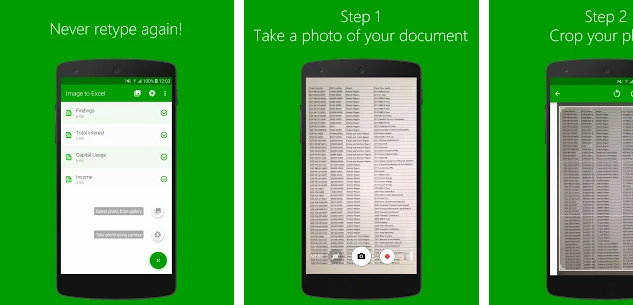
The easiest way to extract data from images of tables, reports, invoices, receipts and convert them to Excel spreadsheets. No need to retype anymore. Just add an image or snap a photo of your paper documents and extract data directly into Excel spreadsheets. The industry-leading OCR conversion will convert photos to editable spreadsheets.
Use Image to Excel to:
✔️ Save time while writing reports, projects, budget calculations and other tabular documents by reusing old ones.
✔️ Track expenses in MS Excel by snapping a photo of receipts and invoices while on the business trip.
✔️ Convert photos to Excel and perform data analysis while on the go.
✔️ Keep workspace more organized by removing the paper clutter from your desk.
Image to Excel converter major features are:
⭐ Excellent JPG to Excel conversion quality.
⭐ Document scanner with OCR, convert scan to text.
⭐ No limits on the file size or the number of converted files.
⭐ Screenshots can be converted as well.
⭐ Easily share converted documents anywhere.
There’s even more:
⭐ The new Excel file is optimized for fast viewing and immediate analysis.
⭐ The converted document is in the .xlsx format and completely editable.
⭐ Crop image and select only the important data to turn from scan to text.
How to use Image to Excel converter?
It takes only three simple steps to convert images to Excel:
1. Select the image you want to convert. It can be a JPG file from your phone, cloud services or you can take a new picture.
2. In case of taking a new photo, choose “Scan a document” option to scan printed black and white documents.
3. Wait for the conversion to finish and that’s it.
Note: Free conversions take up to 1 hour to complete, but fast conversions are completed in seconds. We do not guarantee that handwritten document conversion will be successful. For the best results, use printed scans.
Download Image to Excel Converter – Convert Images to Excel
Android
iOS